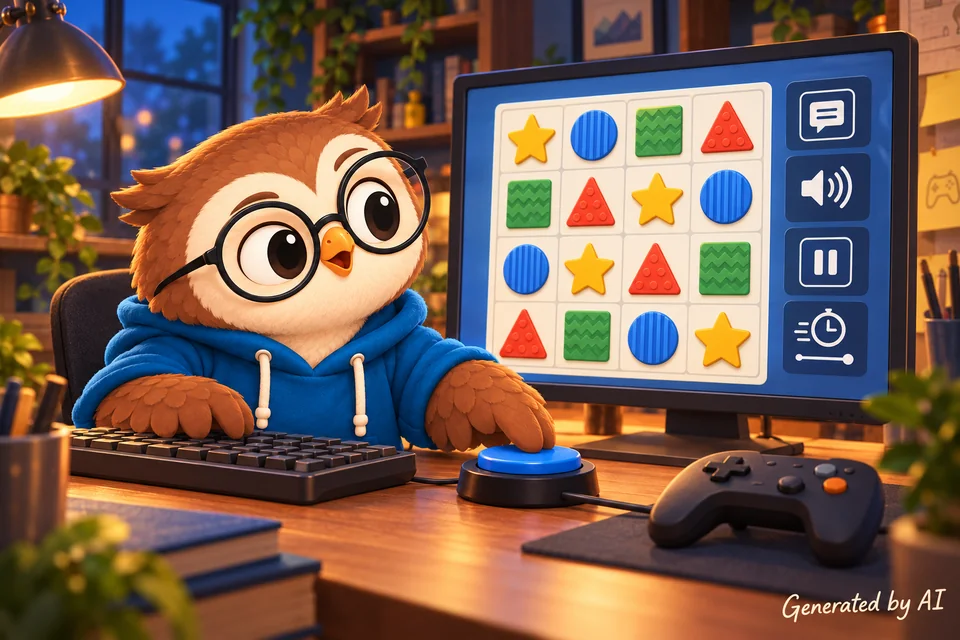
I love gaming and making games. I enjoy focusing on the small details, adding playful animations, and seeing that satisfying moment when a board fits together. Sometimes I even end up with an unbeatable computer opponent and call it “advanced AI.” Still, even when everything works as planned, too many players can be left out.
If the text is hard to read, the controls require very quick clicks, an important clue is only in a sound, or players have to tell apart two nearly identical colors, the game might work perfectly in theory. But it still leaves too many people out.
People sometimes treat accessibility as an add-on, something you tack on at the end if you’ve got the time. I think it should be much earlier in the process. Not every game is going to be playable in the same way by everyone. Not every game is going to be accessible in the same way as others. You can absolutely remove a lot of the barriers without taking away the fun. In some cases, rethinking a gameplay or interface design decision can actually result in a better game.
Why should we bother?
I normally find myself asking myself as I go about coding a new feature: why on earth should I be spending time on this? Why not spend that time coding something more interesting, something more fun? With regard to accessibility, the answer is straightforward: people should be able to play. My friends and my family should be able to play. I should be able to play. Everyone should be able to play.
Games are more than products or programming exercises (although they can certainly teach you a lot about coding). They’re a way for people to unwind, to compete, to solve problems, to spend time with friends, and sometimes just to get away from it all for a bit after a tough day. If the barrier is something we’ve inadvertently created (e.g., ridiculously small controls, instructions that vanish too quickly, etc.), excluding a player from the game isn’t part of the design. It’s just a bug with better PR.
We already work to make games welcoming for different groups. We consider language, culture, age, representation, difficulty, and whether new players can follow along. Accessibility is integral to this. It is another way of asking, “Who gets to play?”
People of all ages do get involved. The ESA’s 2025 U.S. player survey (which you can read about here: https://www.theesa.com/annual-esa-study-reveals-video-games-universal-appeal-across-generations/) looks at players from age 5 to 90. It finds that 49% of the boomers and 36% of the Silent Generation play on a weekly basis. Of course it’s just one survey from one industry (the U.S. video game industry), and as such, it doesn’t represent the world at large. However, it’s not the only survey out there, and it does make the point that a browser game player is not necessarily a teenager with sharp eyes, fast reflexes, and a gaming mouse.
Even 10% is a lot of people
Sometimes people just don’t consider accessibility at all, as they think it only impacts a small number of people. If 10% of 10,000 players need something made accessible, then that’s 1,000 people. That’s not a small number. Would you regard a 10% discount on 10,000 as a small amount? I certainly wouldn’t.
The actual number isn’t small at all. The WHO puts the figure at 1.3 billion people (around 1 in 6 of the world’s population) who have a significant disability. In the ESA survey, around 1 in 5 of the adult players reported having a disability. Of course not every disability will impact every game. The point is we’re not designing for a very small, hypothetical group.
Those figures don’t reflect temporary or situational barriers. A broken arm can make typing a real pain. Bright light can make low contrast a real problem. A very noisy party on the other side of the wall can make sound completely irrelevant. A slow connection or an old device can make a complex interface or interactions very difficult to use. Accessibility improvements can often help a lot more people than we realize.
Why external tools cannot fill every gap
Screen readers, zoom tools, voice control, switch devices and all the other assistive technologies are of course vital. They are all bridges. They are not mind readers. They need us to tell them what to do in order to be of any use to the players.
If I draw the entire card game onto a <canvas>, the browser sees pixels. The screen reader can’t go and look at those pixels and work out that the shape in the top left is a button and that clicking on it will select the Queen of Hearts. I have to provide that information and keep it in sync with what’s actually visible in the game.
The same is true when success depends just on hearing a beep, when an action is a drag, or when a message vanishes after two seconds. A browser extension may well create a visual representation of a sound cue, but it won’t do it in a reliable way. It may assist with the interaction, but it can’t decide which timer it’s safe to pause. Both the information and the alternative have to come from the game.
This is also why semantic HTML matters. A real <button> already gives browsers and assistive technology useful information and familiar behavior. On the other hand, a clickable <div> just gives us another small project. I wrote more about that in Why Bother with Semantic HTML?
If it’s in a browser, can’t the player just zoom in?
Making everything bigger will not add captions to dialogue. It will not tell a color-blind player which red piece is dangerous and which green piece is safe. It will not stop camera shake, extend a timer, replace a rapid-click challenge, expose a custom control to a screen reader, or let someone remap a key they cannot comfortably reach.
Even if the problem is just the text size, zoom can bring other issues to the surface. Part of the game might move off-screen. It might be that enlarging the text breaks the game board. Color ratio can become even more problematic in smaller sizes. If the text is moving, players might not be able to finish reading. While helpful, browser zoom is not an accessibility plan.
We already have the tools
The good news is that we do not need to invent an accessibility engine before we can improve a web game. Browsers, operating systems, and web standards already give us a large toolbox. You can check WCAG 2.2 quick reference for guidance on a lot of those barriers. It is not a game design document, but I really recommend reading it before you start designing the game.
Accessibility isn’t a single switch; adding a library/plugin to a site that adds a button for accessibility settings isn’t a magic solution. People face different barriers. I believe we must focus on a few main areas.
For sight and visual information
We can use HTML5 elements for menus and controls, provide useful text alternatives, clear focus indicators, strong contrast, and layouts that survive zoom and resizing. We can avoid using color or sound as the only clues, and add shapes, patterns, labels, or icons.
If the game uses <canvas> or WebGL, we can provide an equivalent DOM interface; we may need to be more creative to create another accessible way to understand and operate the important game state, such as HTML live regions.
For sound and hearing
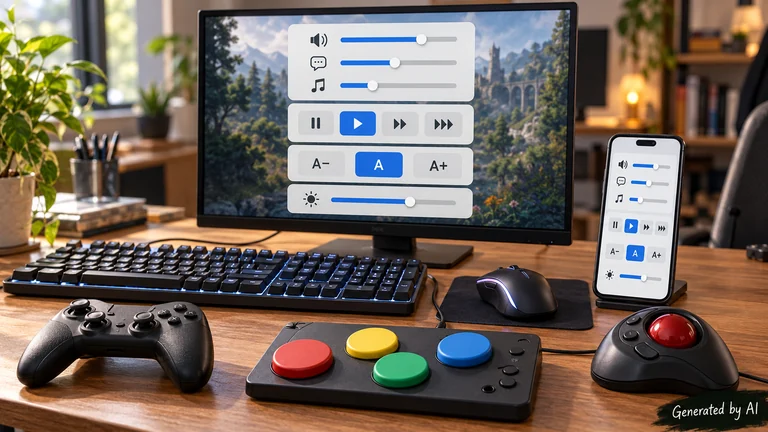
Add captions to dialogues. Important sound effects can have visual equivalents: an icon for an alarm, or a direction indicator for an off-screen sound. Separate controls for music, dialogue, and effects help more than a single mute button. For prerecorded media, HTML video and WebVTT already support caption tracks. None of this requires us to skip a weekend vacation to invent a new media format. It already exists.
For movement and input
Keyboard controls, key remapping, and support for a range of input devices (mouse, gamepad, etc.) are all available. Large targets with plenty of space will naturally lead to fewer missed clicks. A drag action can provide both click-to-select and click-to-place. A setting can be used to replace a long press with a toggle. The same applies to rapid clicks, which can be converted into a hold. We could even go the other way and provide a different challenge. You can extend, pause, or turn off a timer when speed isn’t the issue. Speed may well be the point in some cases, and that can’t be avoided, but it’s definitely something to consider.
This is very much near and dear to me. I can sometimes have problems with reading speed and with long/fast clicking. Enlarging the text doesn’t help with that at all. A pause button, the ability to control the speed of the dialogue, and other options beyond just the repeat click do, however, make a big difference.
For reading, memory and understanding
Plain instructions, sensible controls and the option to re-run a tutorial can go a long way to making a game easier to learn. Icons are better served with text labels than as a kind of secret code that the player has to learn. Key text can be left in a log rather than just vanishing. Adjustable difficulty, hints, and the ability to undo a non-critical action are all ways of reducing frustration without in any way removing the challenge for those players who don’t want those features.
When it comes to effects
We can respect prefers-reduced-motion, provide controls for camera shake and animation intensity, and avoid flashes that could trigger seizures. (No, putting a warning about epilepsy seizures is not a solution). We can let players pause moving content and turn off extra effects. Those settings might seem minor to a designer or a developer who doesn’t need them, but for some players, they can make the difference between a fun game and one that is completely unplayable.
We’ve got a whole host of tools to check our work. Browser dev tools can have a look at the accessibility tree and check contrast. There are automated checkers that can pick up on missing names, structural issues, and color problems. A simple game of “can you get through this with just a keyboard” can quickly reveal hidden pitfalls. Screen readers, voice control, and various zoom levels are all useful in testing beyond the mouse.
However, no automated tool can tell us whether the game actually makes sense or is in any way fun to play. That’s why testing with disabled players is what keeps us honest. If you don’t know any, have a look at indie game dev channels on Reddit and the various communities on social media. If you can afford it, then paid services can also be of use.
Make it part of the workflow
Adding accessibility at the end is expensive, just as adding mobile support or localization would be. By that stage you’ve already made and implemented too many design decisions. You can end up with a massive amount of work just to alter the foundations at the end of the project.
If every action is based on dragging, then adding another input method down the line could mean having to go and change the game logic. If the text is embedded in the images, then scaling and translation can both become problematic. If we don’t consider color contrast ratio, then fixing all the graphics can be a real pain (it won’t just be the images). It’s far easier to plan for it when we’re in the design phase.
You don’t need big, formal processes to make sure your game is accessible. Add it to your game’s requirements. Include it in code reviews. Test new controls with a keyboard and other devices. That already goes a long way in this journey. Remember to check menus, instructions, score tables, and error messages. Don’t test just the main board. Make sure settings are saved. Ask people who use these features to play. Just because the game is passing an accessibility checklist doesn’t mean it is actually truly playable.
Any of us can need it
I really hope you’ll never need it, but do bear in mind that disability isn’t always permanent, obvious, or present from birth. Our bodies change. Our sight and our hearing change. Injuries and illness can occur. We all age, even if my rather incomplete side projects appear to have defied the aging process entirely.
Life can change in one afternoon. A player who did not need captions, remappable controls, or a slower pace last year may need them today. Someone else may have always needed them and got used to being told games weren’t made with them in mind.
Not every game can be made accessible for everyone. Some mechanics depend on a specific sense or movement; pretending otherwise won’t change that. However, I can take the time to consider if that dependency is truly needed. I can offer choices where possible. I can avoid creating barriers just because it is easier to code. Reconsidering how to implement things can also lead to better results overall.
That’s a tiny bit of making life better, but ‘tiny’ doesn’t mean ‘unimportant’. By paying attention to little things like making the buttons accessible, providing a visual indicator for the sound, letting the player slow things down, and keeping the instructions on screen, you can make a big difference. And suddenly, someone who couldn’t play before now can. That’s all the motivation I need to want to put my time and effort into it.