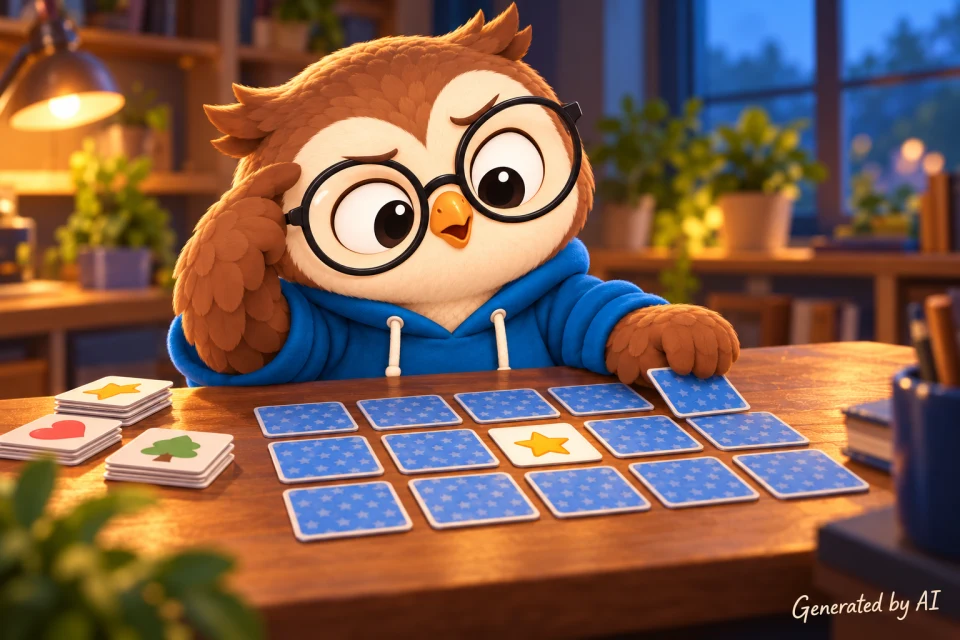
Back in 2009, I built a memory game with jQuery and PHP. It also used a flipping plugin and Flash for sound, which is a pretty good time capsule but not a stack I would choose for a small browser game today. So, let’s give it a proper update.
This version runs entirely in the browser with plain HTML, CSS, and JavaScript. It creates a fresh shuffled board, lets the player choose from six difficulty levels, counts moves and time, remembers a few preferences, plays optional sound effects, and celebrates a win with disappearing cards and confetti. No framework, server, or mysterious card-flipping plugin required.
You should be comfortable with basic HTML, CSS, JavaScript functions, arrays, and event listeners. We’ll explain the newer pieces as they appear, including dataset, localStorage, CSS custom properties, and the Fisher–Yates shuffle.
You can play the finished memory game before we take it apart. The complete source download contains index.html, memory-game.css, memory-game.js, the card images, sounds, and license files.
What are we building?
A memory game has a tiny ruleset, but a polished version needs a few more jobs than “flip two cards and hope.” Here is our plan:
- Build a useful, accessible interface
- Create matching pairs and shuffle them properly
- Reveal exactly two cards in each turn
- Handle matches, misses, and rapid clicks safely
- Track time, wins, preferences, and sound
- Finish cleanly and start a completely fresh game
We won’t inspect every color, spacing rule, or repeated HTML option. The game logic is our main character here. Whenever we skip supporting code, I’ll point you to the full file in the download.
HTML that already knows how to help
The visible game lives inside a <section>. Its difficulty selector and New board button sit above three main areas: the scoreboard, the board itself, and the sound control.
<section class="game-panel" aria-labelledby="game-heading"> <h2 id="game-heading" class="visually-hidden">Game board</h2> <div class="game-controls"> <label class="level-control" for="level"> <span>Difficulty</span> <select id="level" name="level"> <option value="1">Level 1 · 6 pairs</option> <option value="2">Level 2 · 8 pairs</option> <option value="3">Level 3 · 10 pairs</option> <option value="4">Level 4 · 12 pairs</option> <option value="5">Level 5 · 15 pairs</option> <option value="6">Level 6 · 18 pairs</option> </select> </label> <button class="secondary-button" id="restart" type="button"> New board </button> </div> <div class="game-layout"> <div class="scoreboard" aria-label="Game statistics"> <div class="stat"> <span class="stat-label">Moves</span> <strong id="moves">0</strong> </div> <div class="stat"> <span class="stat-label">Time</span> <strong id="time">0:00</strong> </div> <div class="stat"> <span class="stat-label">Games won</span> <strong id="games-won">0</strong> </div> </div> <div id="game-board" class="game-board" role="group" aria-label="Memory cards" ></div> <div class="game-actions"> <button class="secondary-button sound-toggle" id="sound-toggle" type="button" aria-pressed="true" > <span id="sound-toggle-icon" class="sound-toggle-icon" aria-hidden="true" >🔊</span > <span id="sound-toggle-label">Sound on</span> </button> </div> </div> <p id="game-status" class="visually-hidden" aria-live="polite"></p> </section>
The board begins empty because JavaScript will create a different set of cards for each game. Each card will be a real <button>, not a clickable <div>. That gives us keyboard behavior, focus, and a disabled state without rebuilding them ourselves.
The hidden game-status paragraph is a polite live region. JavaScript can put messages such as “Those cards do not match” into it, and a screen reader can announce them without moving the player’s focus. This is the same practical benefit discussed in Why Bother With Semantic HTML?: using the browser’s native elements gives us useful behavior before we write any JavaScript.
Native sound and a native dialog
The rest of the page includes three hidden audio players and the result dialog:
<audio
	id="sound-card-turn"
	src="sounds/card-turn/card-place-2.ogg"
	preload="auto"
	hidden
></audio>
<audio
	id="sound-match"
	src="sounds/match/match-suction.ogg"
	preload="auto"
	hidden
></audio>
<audio
	id="sound-win"
	src="sounds/win/win-with-voice.ogg"
	preload="auto"
	hidden
></audio>

<dialog id="win-dialog" class="win-dialog">
	<h2>You found them all!</h2>
	<p id="win-summary"></p>
	<div class="dialog-actions">
		<button class="primary-button" id="play-again" type="button">
			Play again
		</button>
		<button class="secondary-button" id="close-dialog" type="button">
			Close
		</button>
	</div>
</dialog>
In the old game, sound needed a Flash movie and JavaScript-to-Flash communication. Today, the browser’s <audio> element already gives us play(), pause(), volume, and the current playback time. The <dialog> element similarly gives us a modal window through showModal(), including focus handling and a backdrop. Less custom machinery means fewer odd little bugs hiding behind the sofa.
The complete document structure and preload link are in index.html inside the source download.
The board and its 3D cards
The CSS uses Grid for the board. JavaScript changes one custom property, --columns, when the selected difficulty needs a different number of columns:
.game-board {
	display: grid;
	grid-template-columns: repeat(var(--columns), minmax(0, 1fr));
	gap: clamp(0.35rem, 1.5vw, 0.7rem);
	width: 100%;
	max-width: 100%;
	perspective: 70rem;
}

.memory-card {
	position: relative;
	padding: 0;
	border: 0;
	aspect-ratio: 1;
	background: transparent;
	cursor: pointer;
	transform-style: preserve-3d;
}

.memory-card-placeholder {
	display: block;
	visibility: hidden;
	aspect-ratio: 1;
	pointer-events: none;
}
aspect-ratio: 1 keeps every card square. The invisible placeholder becomes important after a match: we replace each vanishing card with one, so the remaining cards stay in their original grid cells instead of jumping around and making the player relearn the board.
Flipping the card
Each card contains an inner wrapper with a front and back face. Both faces occupy the same space, and backface-visibility: hidden stops the mirrored back of a face from showing through. The wrapper rotates when JavaScript changes the card’s data-state:
.card-inner {
	--card-depth: 8px;
	position: absolute;
	inset: 0;
	transform: translateY(-1px) rotateX(3deg);
	transform-style: preserve-3d;
	transition: transform 420ms cubic-bezier(0.2, 0.75, 0.25, 1.15);
	will-change: transform;
}

.memory-card[data-state="revealed"] .card-inner,
.memory-card[data-state="matched"] .card-inner {
	transform: translateY(-1px) rotateX(3deg) rotate3d(1, -1, 0, 180deg);
}

.card-face {
	position: absolute;
	inset: 0;
	display: grid;
	place-items: center;
	overflow: hidden;
	border: 1px solid rgba(78, 59, 38, 0.42);
	backface-visibility: hidden;
	box-shadow: 0 7px 7px rgba(43, 31, 63, 0.28);
}

.card-back {
	background: #0d3f9a url("images/card-backs/owl-geometric-blue.webp")
		center / cover no-repeat;
	transform: translateZ(calc(var(--card-depth) / 2));
}

.card-front {
	padding: 7%;
	background: #fff;
	transform: rotate3d(1, -1, 0, 180deg)
		translateZ(calc(var(--card-depth) / 2));
}
We could toggle a class such as is-flipped. Using data-state is more useful here because a card has three meaningful states—hidden, revealed, and matched—and JavaScript needs to know which one it is in too. One state value drives both the rules and the visuals.
The full memory-game.css also adds the four narrow card edges, match-removal animation, confetti animation, small-screen layout, buttons, and dialog styling. One especially important part is the reduced-motion query:
@media (prefers-reduced-motion: reduce) {
	.confetti {
		display: none;
	}

	.card-inner {
		transition-duration: 0.01ms;
	}

	.memory-card.is-vanishing {
		animation-duration: 0.01ms;
	}

	.memory-card:hover .card-inner {
		transform: translateY(-1px) rotateX(3deg);
	}

	.memory-card[data-state="revealed"] .card-inner,
	.memory-card[data-state="matched"] .card-inner {
		transform: translateY(-1px) rotateX(3deg) rotate3d(1, -1, 0, 180deg);
	}
}
This does not remove the card’s essential change from hidden to revealed. It makes that change practically instant and removes the purely decorative celebration for people who ask their operating system for less motion.
Keeping track of the game
Now for memory-game.js. The script is wrapped in an immediately invoked function expression so its variables do not leak into the global scope. Near the top, it keeps adjustable values and storage names together:
(() => {
	'use strict';

	const PAIRS_BY_LEVEL = [6, 8, 10, 12, 15, 18];
	const CARD_COUNT = 20;
	const WIN_DIALOG_DELAY = 2500;
	const MATCH_EFFECT_DELAY = 440;
	const MATCH_EFFECT_DURATION = 700;
	const WIN_SOUND_DELAY = 440;
	const STORAGE_KEYS = {
		gamesWon: 'wdp-memory-games-won',
		level: 'wdp-memory-level',
		soundEnabled: 'wdp-memory-sound-enabled',
	};

	let cards = [];
	let firstCard = null;
	let secondCard = null;
	let boardLocked = false;
	let matchedPairs = 0;
	let moves = 0;
	let startedAt = null;
	let elapsedSeconds = 0;
	let timerId = null;
	let mismatchTimerId = null;
	let matchEffectTimerId = null;
	let matchRemovalTimerId = null;
	let winTimerId = null;
	let confettiCleanupTimerId = null;
	let soundEnabled = true;
	const soundTimerIds = new Set();

	// ...the remaining game code continues below.
PAIRS_BY_LEVEL makes the difficulty mapping easy to read and change. Level 1 uses six pairs, level 2 uses eight, and so on. The current turn is represented by firstCard and secondCard, while boardLocked protects the short period when two cards are already being checked.
There are several timer IDs because different delayed jobs may be active: hiding a mismatch, starting and finishing the match effect, showing the win dialog, cleaning up confetti, and playing scheduled sound. Saving each ID lets a new game cancel old work instead of allowing a timeout from the previous board to suddenly fire on the new one.
The complete file also collects the DOM elements with querySelector() and defines the confetti colors. Those repetitive declarations are in memory-game.js in the download.
Building and shuffling the deck
We have 20 available pictures, but a level may use only 6 to 18 of them. The deck builder shuffles the picture numbers, takes the requested amount, creates two objects for each picture, and shuffles the completed deck again:
const shuffle = (items) => {
	// Fisher-Yates visits each position once and swaps in a random remaining item.
	for (let index = items.length - 1; index > 0; index -= 1) {
		const randomIndex = Math.floor(Math.random() * (index + 1));
		[items[index], items[randomIndex]] = [
			items[randomIndex],
			items[index],
		];
	}

	return items;
};

const buildDeck = (pairCount) => {
	const availableCards = shuffle(
		Array.from({ length: CARD_COUNT }, (_, index) => index + 1)
	).slice(0, pairCount);

	return shuffle(
		availableCards.flatMap((cardNumber, index) => {
			const pairId = String(cardNumber);
			const pairLabel = String.fromCharCode(65 + index);
			const image = `images/image${pairId.padStart(4, '0')}.png`;

			return [
				{ pairId, pairLabel, image },
				{ pairId, pairLabel, image },
			];
		})
	);
};
This is a Fisher–Yates shuffle. It walks backward through the array and swaps each item with one randomly chosen item from the still-unshuffled part. A tempting alternative is items.sort(() => Math.random() - 0.5), but that is not a reliable uniform shuffle. Fisher–Yates is small, fast, and gives every ordering a fair chance.
flatMap() is doing two jobs: it turns one picture into two card objects and then flattens those little two-item arrays into one deck. The identical pairId is how the game recognizes a match. The letter in pairLabel gives screen-reader users a usable pair name without asking them to identify the picture visually.
Creating one card
Each deck object becomes a button:
const createCard = ({ pairId, pairLabel, image }) => {
	const card = document.createElement('button');
	card.className = 'memory-card';
	card.type = 'button';
	card.dataset.pairId = pairId;
	card.dataset.pairLabel = pairLabel;

	card.innerHTML = `
		<span class="card-inner" aria-hidden="true">
			<span class="card-edge card-edge-top"></span>
			<span class="card-edge card-edge-right"></span>
			<span class="card-edge card-edge-bottom"></span>
			<span class="card-edge card-edge-left"></span>
			<span class="card-face card-back"></span>
			<span class="card-face card-front">
				<img src="${image}" alt="" draggable="false">
			</span>
		</span>
	`;
	setCardState(card, 'hidden');

	return card;
};
The decorative card faces are hidden from assistive technology, and the image has an empty alt. That may look surprising, but the button itself receives the meaningful accessible label. Announcing both the button state and the image would repeat information.
dataset.pairId corresponds to the HTML attribute data-pair-id. Data attributes are a neat fit for small pieces of element-specific game data: the matching ID and the spoken label travel with the card they describe.
One state for CSS and accessibility
The state helper updates the data-state used by CSS and the ARIA information read by assistive technology in one place:
const setCardState = (card, state) => {
	const pairName = `Pair ${card.dataset.pairLabel}`;
	card.dataset.state = state;

	if (state === 'hidden') {
		card.setAttribute('aria-label', 'Hidden card');
		card.setAttribute('aria-pressed', 'false');
	} else if (state === 'revealed') {
		card.setAttribute('aria-label', `Revealed card: ${pairName}`);
		card.setAttribute('aria-pressed', 'true');
	} else {
		card.setAttribute('aria-label', `Matched card: ${pairName}`);
		card.setAttribute('aria-pressed', 'true');
	}
};
Keeping these updates together prevents the visible card and its accessible description from disagreeing. A revealed card cannot accidentally look open while still announcing itself as hidden.
Playing a turn
When a player chooses a card, we first reject clicks that should do nothing. A card cannot be selected while the board is locked, and only a hidden card can be revealed:
const revealCard = (card) => {
	if (boardLocked || card.dataset.state !== 'hidden') {
		return;
	}

	startTimer();
	setCardState(card, 'revealed');
	playSound(sounds.cardTurn);

	if (firstCard === null) {
		firstCard = card;
		status.textContent = `Revealed Pair ${card.dataset.pairLabel}. Choose another card.`;
		return;
	}

	secondCard = card;
	checkForMatch();
};
The timer starts on the first actual card reveal, not when the page loads. That way, the score measures playing time rather than “time spent looking for my coffee before clicking anything.”
Notice that we check card.dataset.state before assigning the second card. This blocks double-clicking the same revealed card and pretending it is its own matching pair.
Handling matches, misses, and fast fingers
After the second card is revealed, one comparison decides the result:
const checkForMatch = () => {
	moves += 1;
	movesDisplay.textContent = String(moves);

	if (firstCard.dataset.pairId === secondCard.dataset.pairId) {
		const matchedCards = [firstCard, secondCard];

		setCardState(firstCard, 'matched');
		setCardState(secondCard, 'matched');
		matchedPairs += 1;
		boardLocked = true;
		status.textContent = `Match found. ${matchedPairs} of ${cards.length / 2} pairs complete.`;
		queueMatchEffect(matchedCards, matchedPairs === cards.length / 2);

		return;
	}

	boardLocked = true;
	status.textContent = 'Those cards do not match.';
	mismatchTimerId = window.setTimeout(() => {
		setCardState(firstCard, 'hidden');
		setCardState(secondCard, 'hidden');
		mismatchTimerId = null;
		resetTurn();
	}, 850);
};
A move means one pair of card choices, so the counter increases here rather than on every click. For a mismatch, the cards stay visible for 850 milliseconds before they turn back over.
The important defensive choice is boardLocked = true. Without it, a quick player can reveal a third or fourth card while the first two are waiting for their timeout. The old tutorial eventually received a comment reporting exactly that kind of timing bug. A small explicit lock makes the rule unambiguous.
resetTurn() clears both selected cards and unlocks the board only after the current result has been handled:
const resetTurn = () => {
	firstCard = null;
	secondCard = null;
	boardLocked = false;
};
Removing a match without moving the board
A matching pair gets a short disappearing animation. When it ends, the cards are replaced with invisible square placeholders:
const replaceMatchedCardsWithPlaceholders = (
	matchedCards,
	isFinalMatch
) => {
	const remainingCards = [
		...board.querySelectorAll('.memory-card'),
	].filter((card) => !matchedCards.includes(card));

	matchedCards.forEach((card) => {
		const placeholder = document.createElement('span');
		placeholder.className = 'memory-card-placeholder';
		placeholder.setAttribute('aria-hidden', 'true');
		card.replaceWith(placeholder);
	});
	board.setAttribute(
		'aria-label',
		remainingCards.length === 0
			? 'No memory cards remaining'
			: `${remainingCards.length} memory cards remaining, ${remainingCards.length / 2} unmatched pairs`
	);
	resetTurn();

	if (isFinalMatch) {
		finishGame();
	}
};
Removing the buttons is better than merely hiding them. Matched cards no longer remain in the keyboard tab order, while the aria-hidden placeholders preserve only the visual layout.
The full source listens for animationend before calling this function. It also sets a backup timeout in case a browser cancels the animation and never sends that event. That second path may feel overly careful until an animation gets interrupted and leaves the board permanently locked. Then it feels excellent.
Time, saved preferences, and sound
Tracking elapsed time
The timer stores the real start timestamp and calculates the difference on each update:
const formatTime = (seconds) => {
	const minutes = Math.floor(seconds / 60);
	const remainingSeconds = seconds % 60;

	return `${minutes}:${remainingSeconds.toString().padStart(2, '0')}`;
};

const updateTime = () => {
	if (startedAt === null) {
		return;
	}

	elapsedSeconds = Math.floor((Date.now() - startedAt) / 1000);
	timeDisplay.textContent = formatTime(elapsedSeconds);
};

const startTimer = () => {
	if (startedAt !== null) {
		return;
	}

	startedAt = Date.now();
	timerId = window.setInterval(updateTime, 1000);
};
We could add one to a counter every second, but intervals are not guaranteed to run at a perfectly exact rate, especially in a background tab. Calculating from Date.now() avoids slowly drifting away from the real elapsed time.
Using local storage safely
localStorage remembers the number of games won, selected difficulty, and sound choice across page loads. Access can fail in private or restricted browser contexts, so reads and writes are wrapped in try...catch:
const readStoredNumber = (key, fallback) => {
	try {
		const value = Number.parseInt(localStorage.getItem(key) ?? '', 10);
		return Number.isFinite(value) ? value : fallback;
	} catch {
		return fallback;
	}
};

const storeValue = (key, value) => {
	try {
		localStorage.setItem(key, String(value));
	} catch {
		// The game remains fully playable when storage is unavailable.
	}
};

const getInitialLevel = () => {
	const storedLevel = readStoredNumber(STORAGE_KEYS.level, 1);
	return Math.min(Math.max(storedLevel, 1), PAIRS_BY_LEVEL.length);
};
The stored level is also clamped between 1 and the number of available levels. Browser storage belongs to the user, not to our code, so it is wise to treat its contents as input rather than a promise.
Playing audio without breaking the game
The sound helper rewinds an effect before playing it. It also catches a rejected playback promise:
const stopSound = (sound) => {
	sound.pause();

	try {
		sound.currentTime = 0;
	} catch {
		// The sound will restart once its metadata is available.
	}
};

const playSound = (sound) => {
	if (!soundEnabled) {
		return;
	}

	stopSound(sound);
	const playPromise = sound.play();

	if (playPromise !== undefined) {
		playPromise.catch(() => {
			// Sound is optional when autoplay or media playback is unavailable.
		});
	}
};
Browsers may refuse media playback in some situations. Sound is a bonus, not a game rule, so a rejected play() call should not stop cards from working. The complete file also balances each effect’s volume, schedules delayed sounds, cancels queued effects when muted, and updates the toggle’s aria-pressed state and visible label.
Finishing and restarting
When the last pair disappears, the game stops the clock, saves the new win total, updates the live status, starts the celebration, and opens the result dialog:
const finishGame = () => {
	stopTimer();
	updateTime();
	scheduleSound(sounds.win, WIN_SOUND_DELAY);

	const gamesWon =
		Math.max(readStoredNumber(STORAGE_KEYS.gamesWon, 0), 0) + 1;
	storeValue(STORAGE_KEYS.gamesWon, gamesWon);
	gamesWonDisplay.textContent = String(gamesWon);
	winSummary.textContent = `You finished in ${moves} ${moves === 1 ? 'move' : 'moves'} and ${formatTime(elapsedSeconds)}.`;
	status.textContent = 'Congratulations! You matched every pair.';
	const hasConfetti = launchConfetti();

	winTimerId = window.setTimeout(
		() => {
			winDialog.showModal();
			winTimerId = null;
		},
		hasConfetti ? WIN_DIALOG_DELAY : 350
	);
};
launchConfetti() creates its pieces in a document fragment and inserts them all at once. It returns false when reduced motion is enabled, allowing the dialog to appear after a short pause instead of waiting for a celebration that was intentionally skipped. The detailed confetti generator is decorative and a little long, so you’ll find it in the complete memory-game.js.
A new game has to do more than replace the cards. It also stops the clock and sounds, clears the celebration, cancels every pending timeout, closes an open dialog, resets the counters, and stores the selected level. The board itself is assembled off-page in a document fragment and inserted with one update:
const startNewGame = () => {
	stopTimer();
	clearConfetti();
	stopAllSounds();

	if (mismatchTimerId !== null) {
		window.clearTimeout(mismatchTimerId);
		mismatchTimerId = null;
	}

	if (matchEffectTimerId !== null) {
		window.clearTimeout(matchEffectTimerId);
		matchEffectTimerId = null;
	}

	if (matchRemovalTimerId !== null) {
		window.clearTimeout(matchRemovalTimerId);
		matchRemovalTimerId = null;
	}

	if (winTimerId !== null) {
		window.clearTimeout(winTimerId);
		winTimerId = null;
	}

	if (winDialog.open) {
		winDialog.close();
	}

	const level = Number.parseInt(levelChooser.value, 10);
	const deck = buildDeck(PAIRS_BY_LEVEL[level - 1]);
	const fragment = document.createDocumentFragment();

	deck.forEach((cardData) => fragment.append(createCard(cardData)));
	board.replaceChildren(fragment);
	gamePanel.style.setProperty(
		'--columns',
		String(getColumns(deck.length))
	);
	board.setAttribute(
		'aria-label',
		`${deck.length} memory cards, ${deck.length / 2} pairs`
	);

	cards = [...board.querySelectorAll('.memory-card')];
	firstCard = null;
	secondCard = null;
	boardLocked = false;
	matchedPairs = 0;
	moves = 0;
	startedAt = null;
	elapsedSeconds = 0;
	movesDisplay.textContent = '0';
	timeDisplay.textContent = '0:00';
	status.textContent = `New level ${level} game started.`;
	storeValue(STORAGE_KEYS.level, level);
};
Building into a DocumentFragment is cleaner than repeatedly adding live elements to the board. The browser receives the finished group in one DOM update, and replaceChildren() removes the previous board at the same time.
Connecting the controls
The board uses event delegation: one click listener handles every current and future card.
board.addEventListener('click', (event) => {
	const card = event.target.closest('.memory-card');

	if (card && board.contains(card)) {
		revealCard(card);
	}
});

levelChooser.addEventListener('change', startNewGame);
restartButton.addEventListener('click', startNewGame);
soundToggle.addEventListener('click', () => {
	setSoundEnabled(!soundEnabled);
	status.textContent = `Sound ${soundEnabled ? 'enabled' : 'muted'}.`;
});
playAgainButton.addEventListener('click', startNewGame);
closeDialogButton.addEventListener('click', () => winDialog.close());

levelChooser.value = String(getInitialLevel());
gamesWonDisplay.textContent = String(
	Math.max(readStoredNumber(STORAGE_KEYS.gamesWon, 0), 0)
);
setSoundEnabled(readStoredBoolean(STORAGE_KEYS.soundEnabled, true));
startNewGame();
})();
We could attach one listener to every card after every rebuild. Delegation avoids that repeated setup. closest() also means a click on any decorative child inside the button still finds the correct card.
What to try next
That is our updated memory game: no PHP session, no jQuery plugin, and definitely no Flash movie hiding in the corner. The browser already provides the DOM, buttons, audio, dialog, storage, CSS transforms, and animation events. Plain JavaScript is more than enough to connect them.
If you want to experiment, try adding a best-moves score for each level, swapping in your own image set, or adding a two-player mode where players take turns looking for pairs. The game keeps its difficulty table, deck builder, turn state, and interface updates separate enough that each of those changes has a sensible place to begin.
Remember that this tutorial intentionally skipped ordinary visual declarations, the detailed confetti loop, repetitive DOM queries, and a few sound and storage helpers. You can get all of index.html, memory-game.css, memory-game.js, the images, sounds, attribution notices, and licenses from the download.
Have fun, and try not to blame the shuffle when the last pair is exactly where you already looked three times.